Prepared for Julian · Hayward Forward · November 2026
One app for your athletes, families and staff.
Every relationship in one place, and the week's NIL news turned into content your families will actually read.
Shown in the Gameday look you chose. Prefer the clean Foundation look?
Begin the walkthroughIntroduction
Relationships and knowledge, in one place
An NIL agency runs on two things: strong relationships, and knowing what changed this week.
This app brings both together for Hayward Forward. Every athlete, parent and business partner lives in one place, and no one goes quiet after you meet them.
Each week, the latest NIL news becomes short story cards for your families, a briefing for your staff, and a newsletter ready to send, and nothing goes out without your approval.
Made for Hayward Forward. The look and feel shown here is fully customizable to Hayward Forward's brand and preferences, and changes can be made quickly as you give feedback.
01 / 19
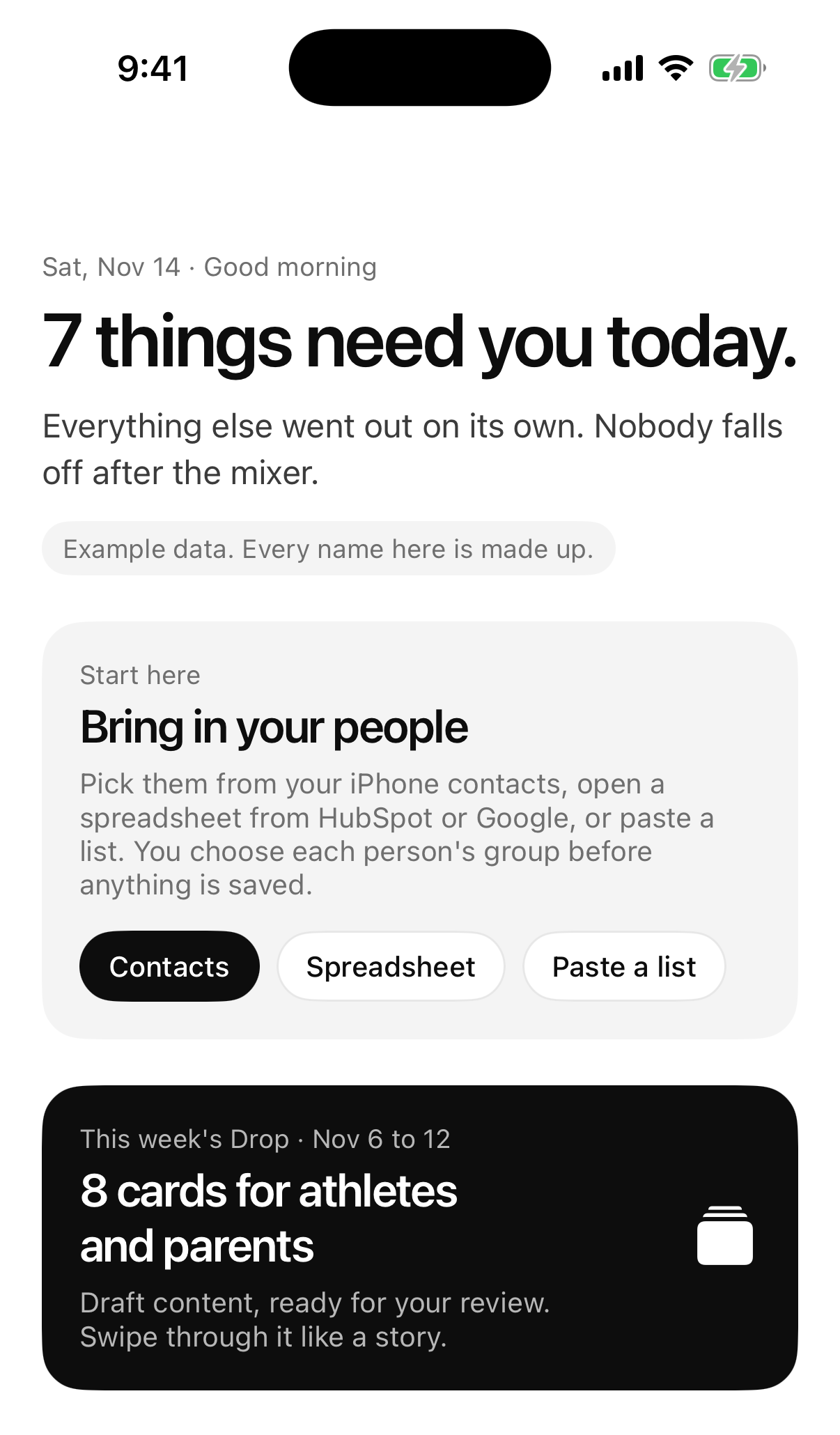
Your day at a glance
- This is the first screen your team sees each morning. It shows exactly what needs a person today, so no athlete, parent or business goes quiet after you meet them.
- This week's Drop sits right at the top, ready for your review.
02 / 19
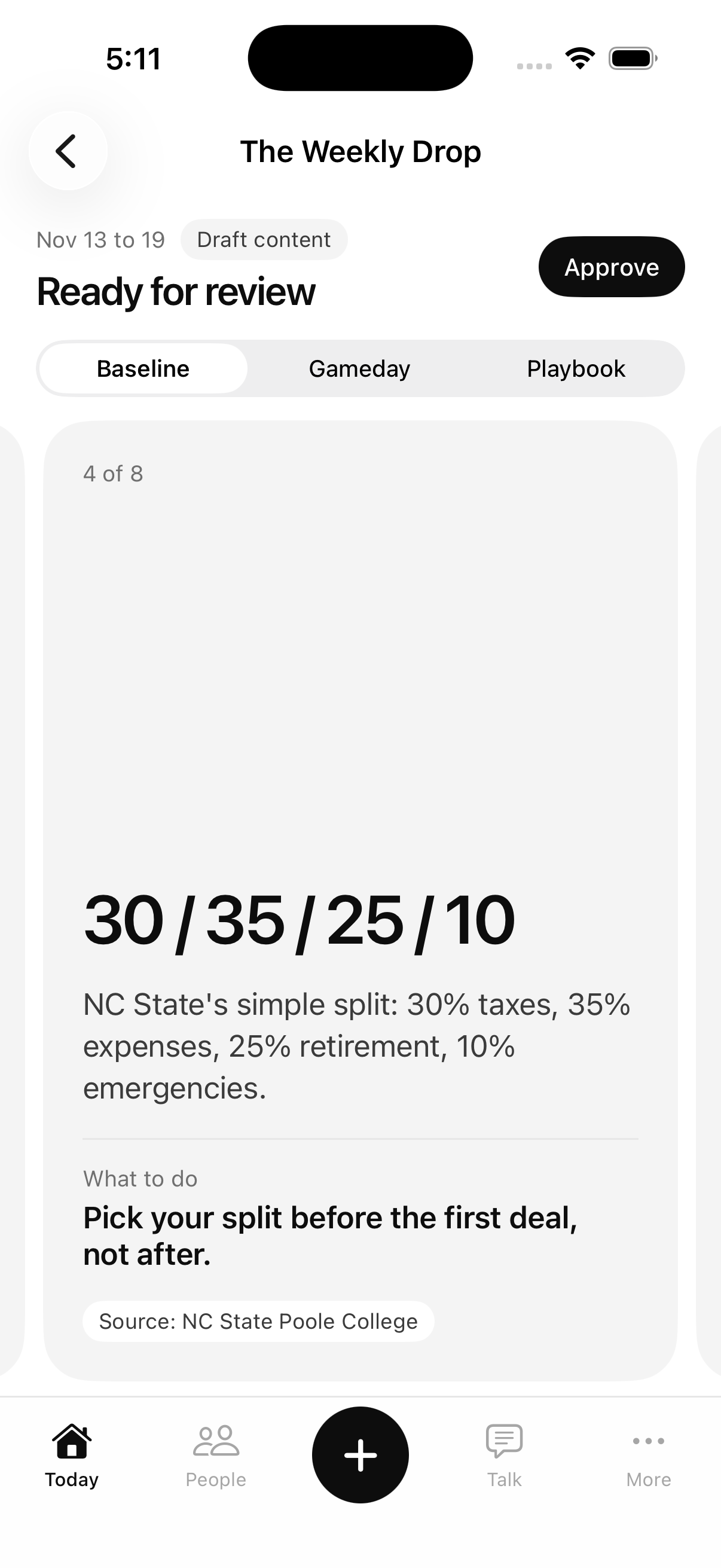
The Weekly Drop
- Each week, the latest NIL news becomes a set of short story cards for your athletes and families. One card, one fact, one clear action, and the source behind it.
- Families do not read long newsletters on a phone. They swipe. This meets them where they are.
03 / 19
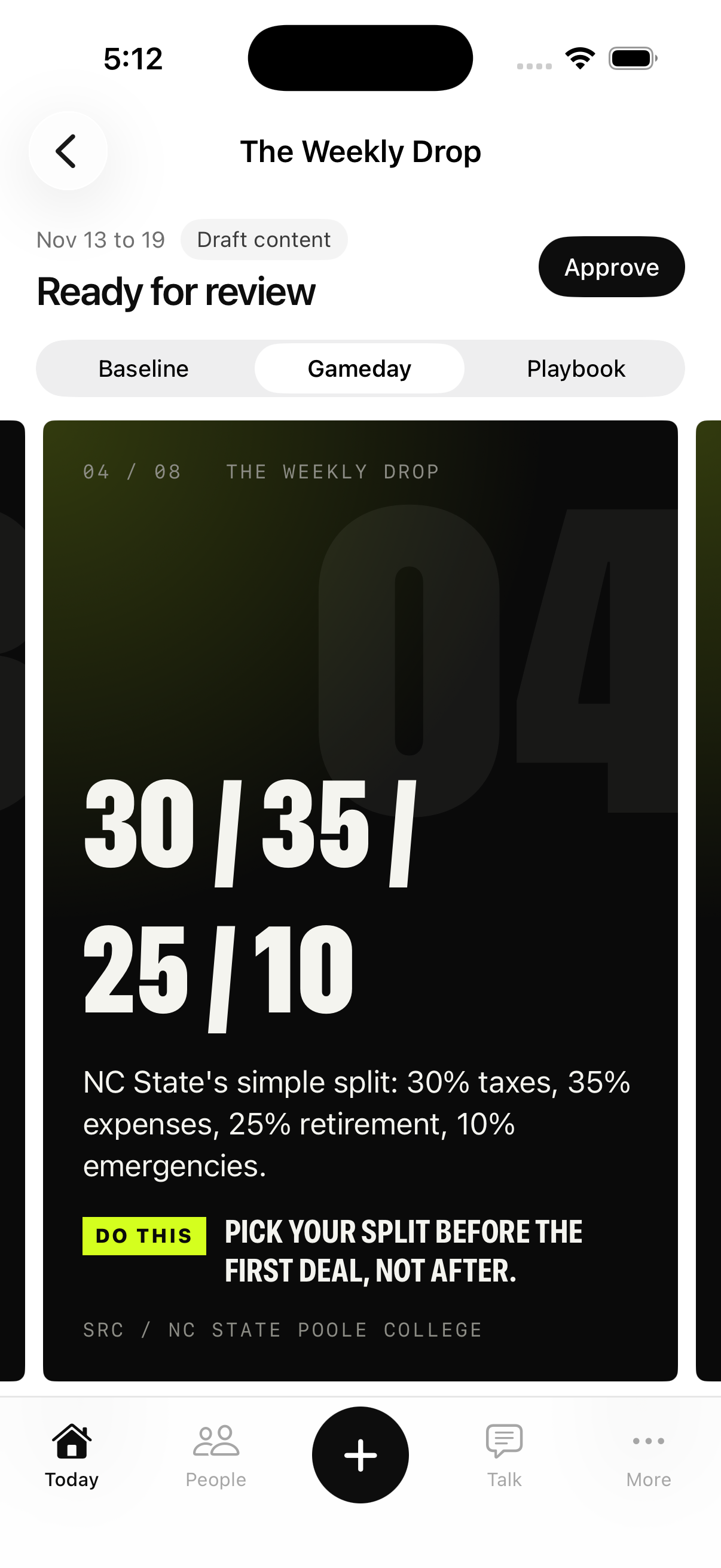
One message, styled for athletes
- The same content can carry a bolder style built for athletes. The words stay identical; only the presentation changes.
04 / 19
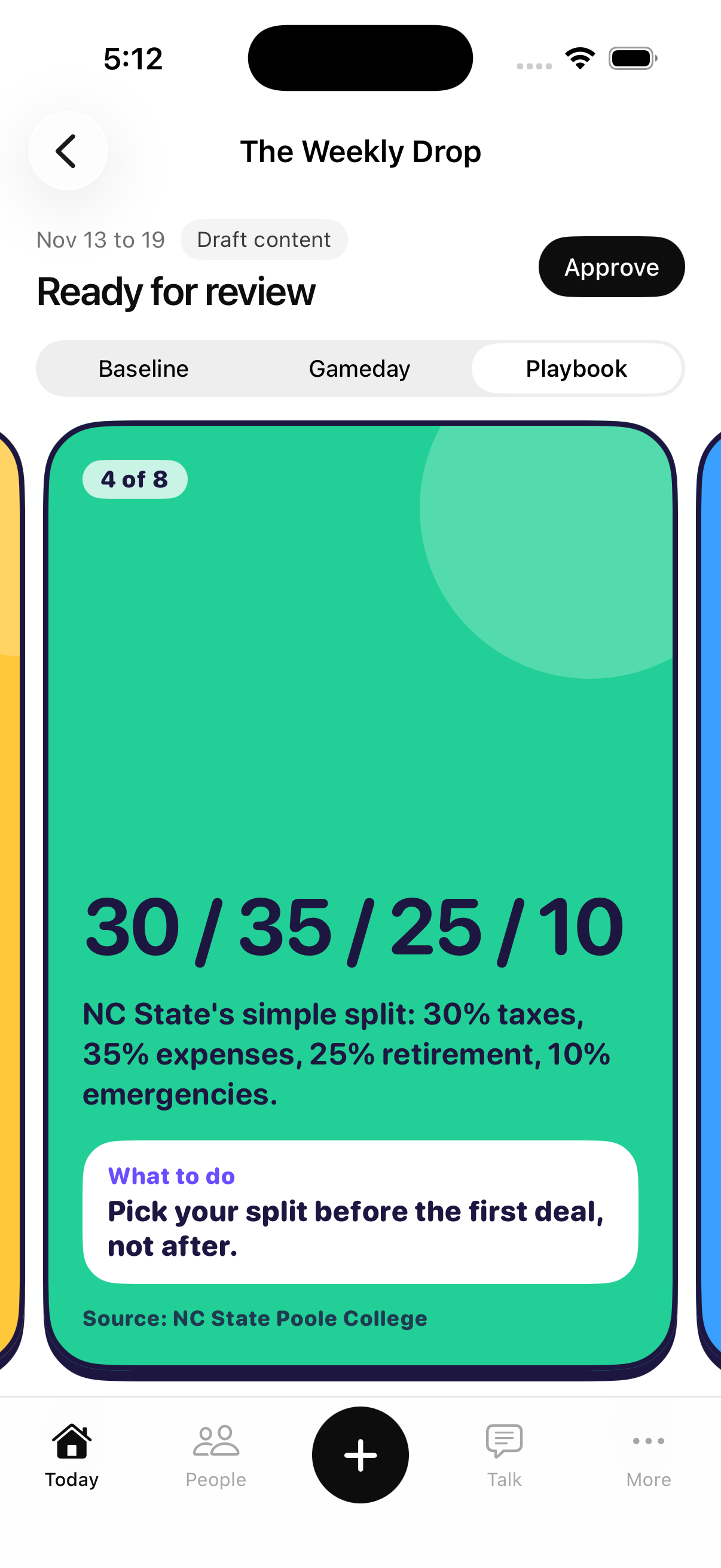
One message, styled for families
- Or a warmer, friendlier style for parents and younger athletes. Your team chooses the look that best fits Hayward Forward.
05 / 19
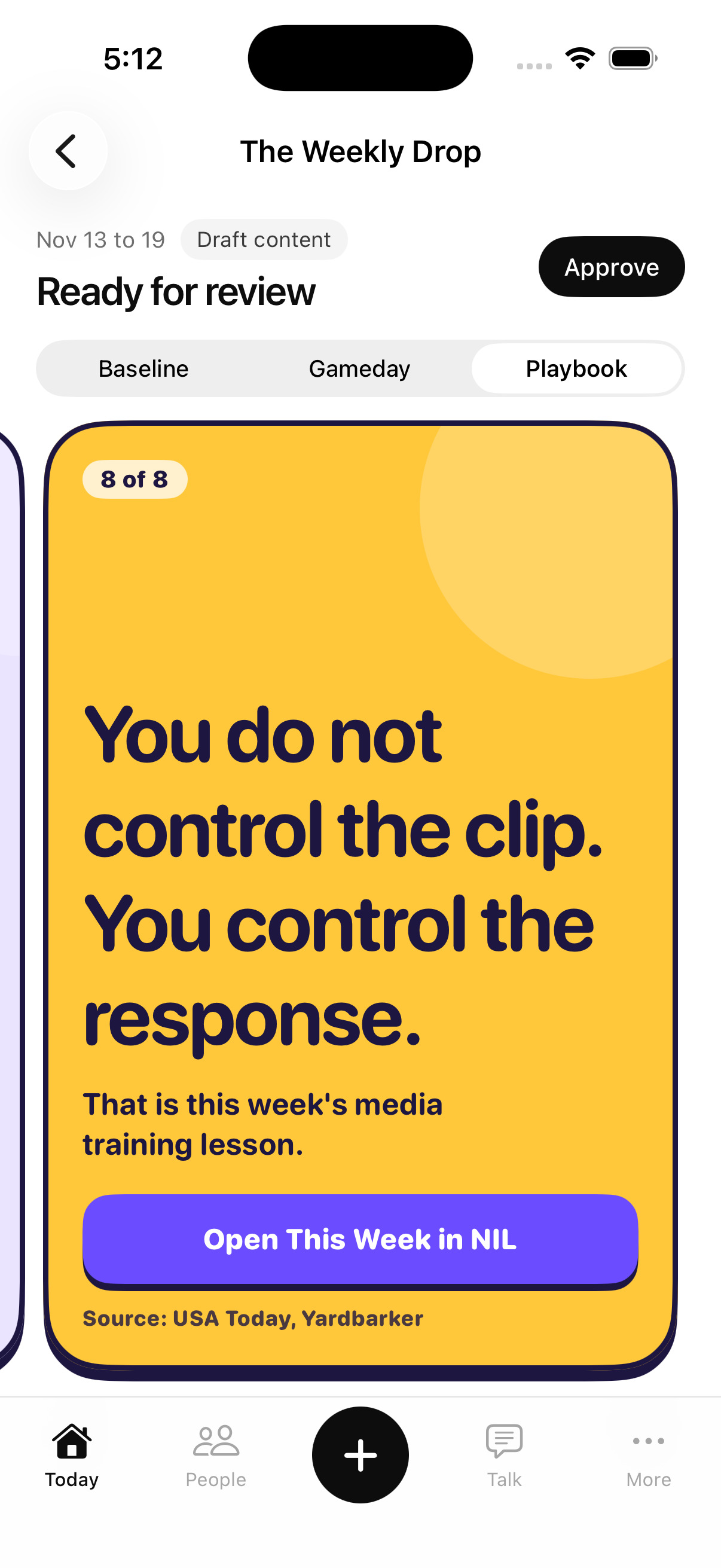
Every week ends with a lesson
- The final card carries the week's key lesson and opens the full staff briefing. Nothing reaches a family until your team approves it.
06 / 19
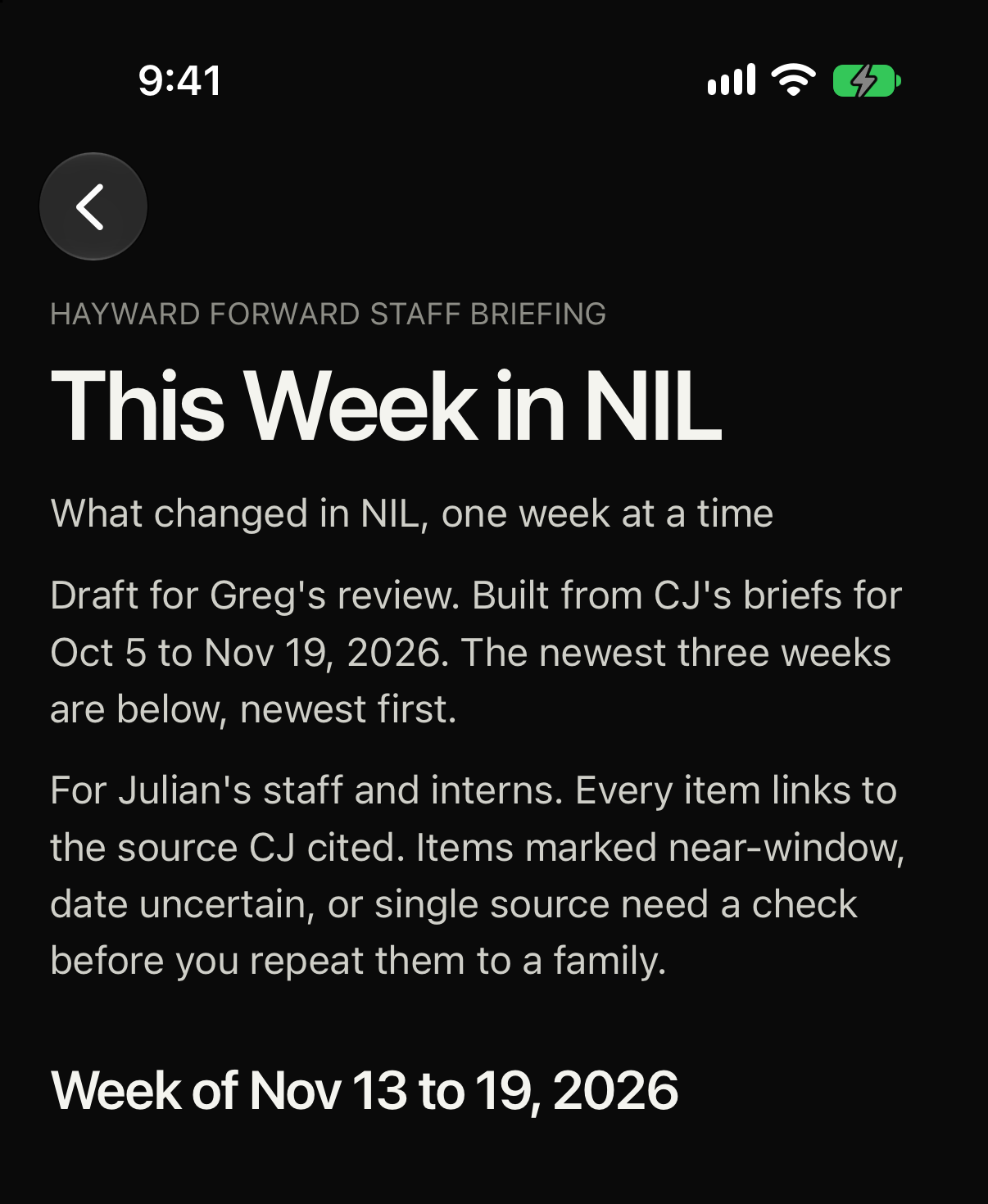
This Week in NIL: your staff briefing
- The same week's research, written for your staff and interns: money, branding, rules, the transfer portal, parents, social media and key dates.
- Every item links to its source, and anything that needs a second check is clearly marked before your team repeats it to a family.
07 / 19
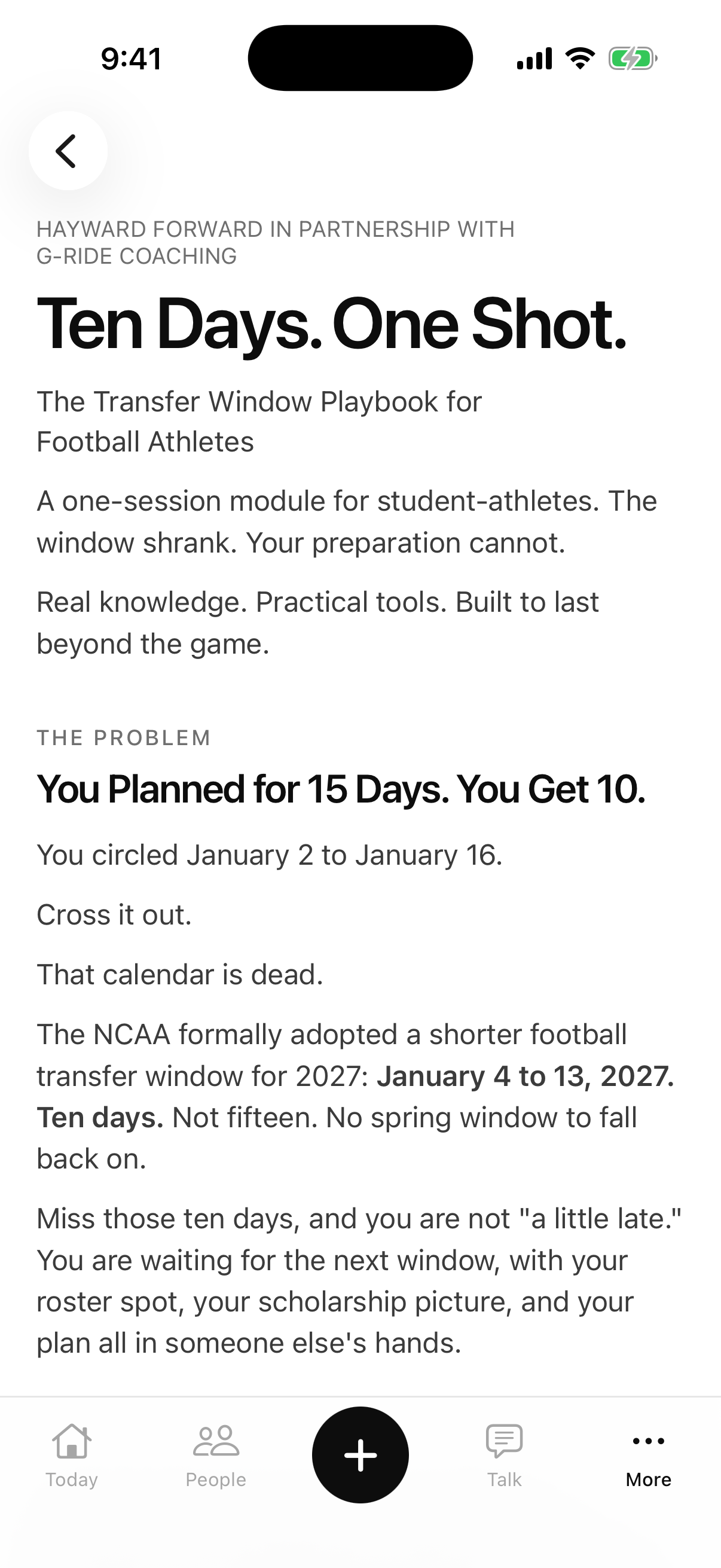
Lessons from G-Ride Coaching
- A library of sessions your staff can deliver to athletes, starting with "Ten Days. One Shot.", the playbook for the January 4 to 13, 2027 football transfer window.
- Your staff can read each lesson here before they deliver it.
08 / 19
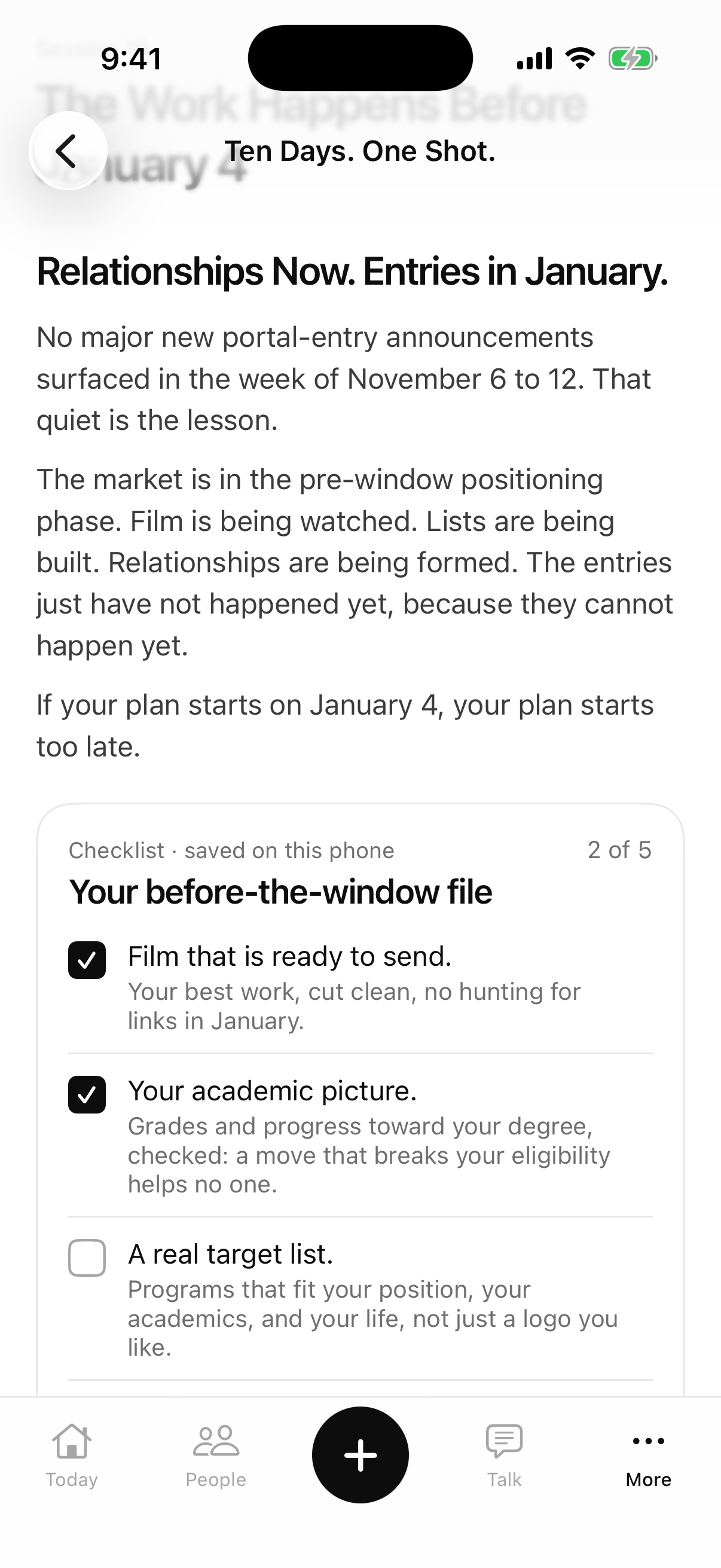
Practical steps athletes can complete
- Each lesson ends with a checklist the athlete can actually finish: film ready to send, the academic picture, a real target list.
- Progress is tracked as each item is completed.
09 / 19
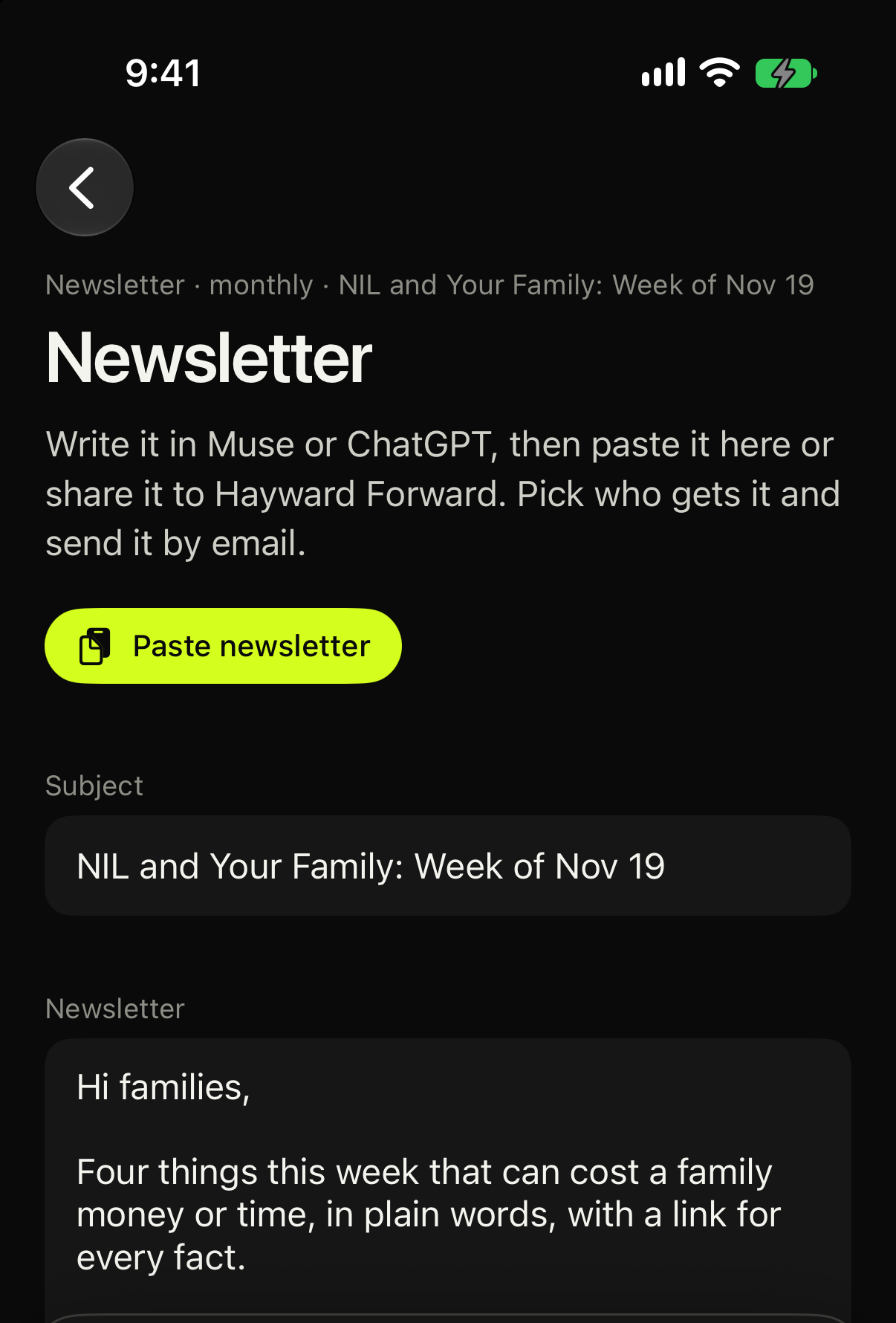
The family newsletter
- Your family newsletter is prepared here, with a plain-language issue on what matters to families this week.
- When it is ready, it goes out by email, with every recipient kept private in BCC.
10 / 19
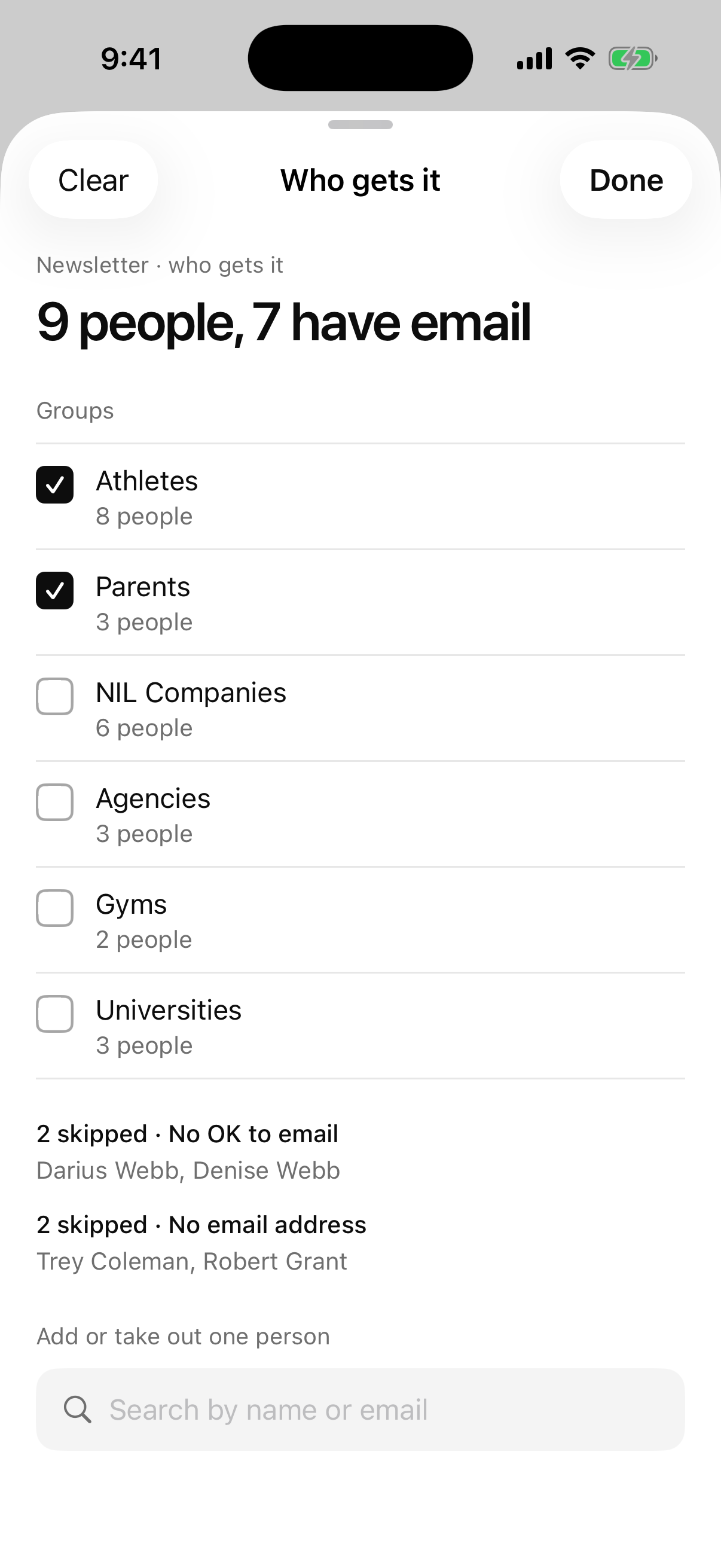
It reaches only the right people
- You choose the groups: athletes, parents, businesses, agencies, gyms or universities.
- Anyone who has not agreed to email is left out automatically, by name, and athletes under 18 are reached through their parent.
11 / 19
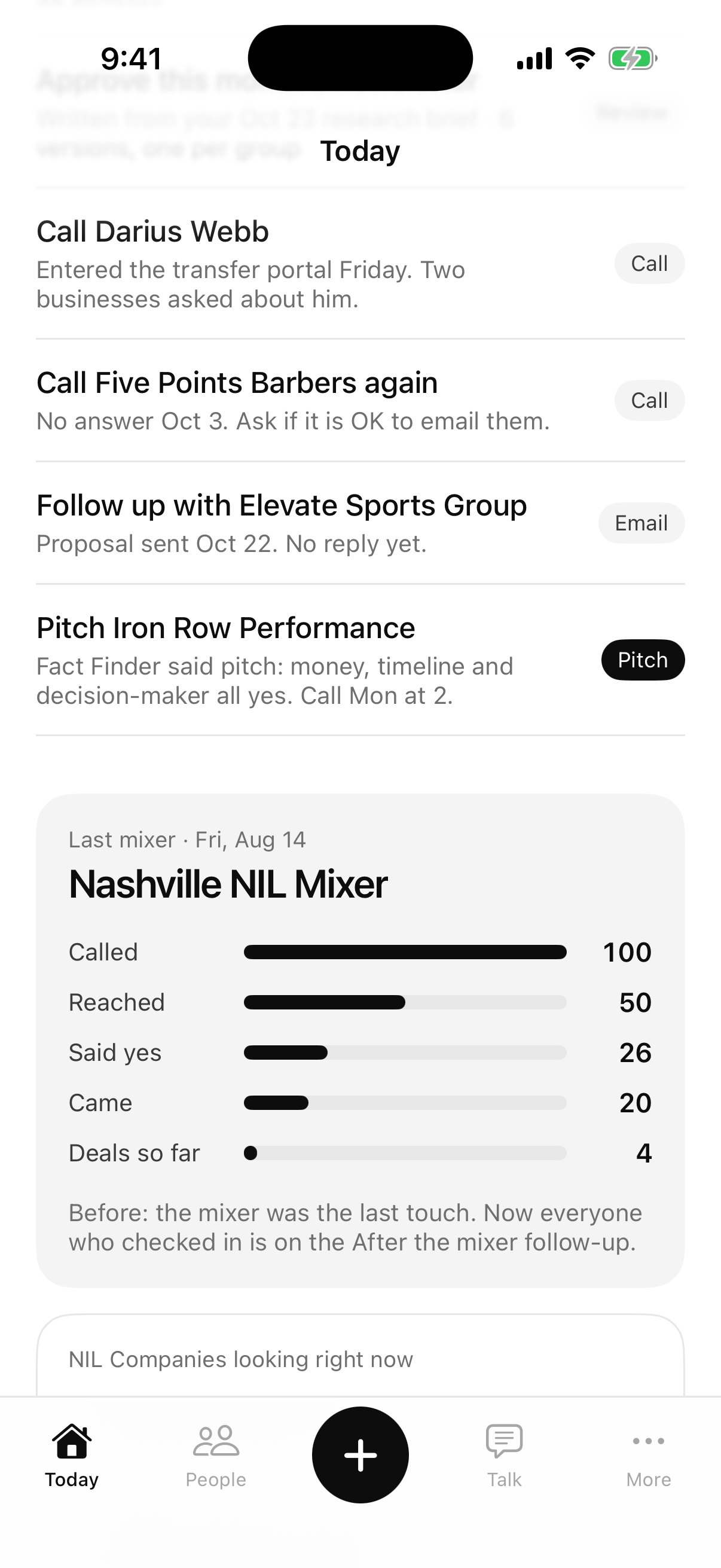
Every follow-up, in order
- Each row is a person to call, email or pitch, with the reason right beside it.
- After every mixer, you see the full picture: who was called, who came, and which conversations turned into deals.
12 / 19
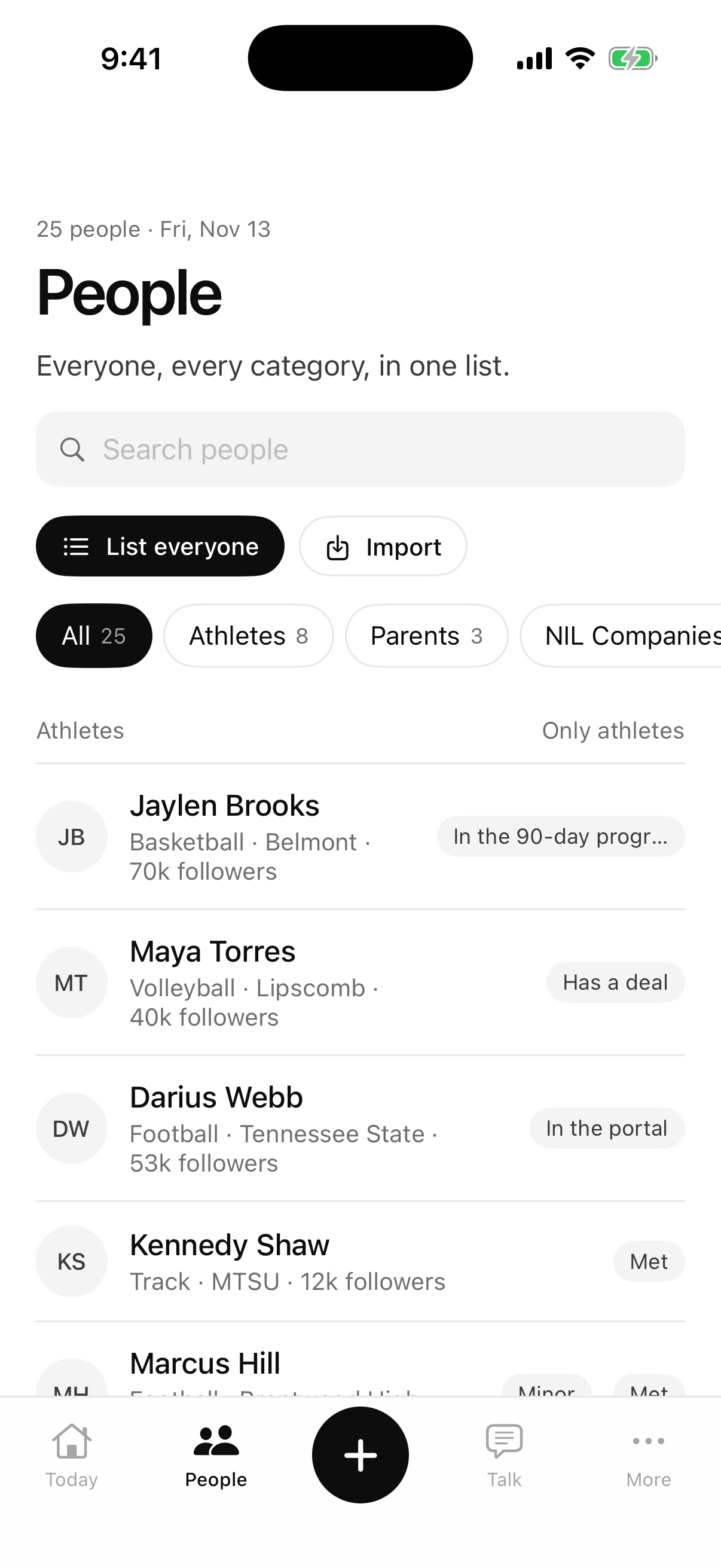
Everyone in one place
- Athletes, parents, NIL companies, agencies, gyms and universities all live in one list.
- Filter by group or search by name, and see at a glance where each relationship stands.
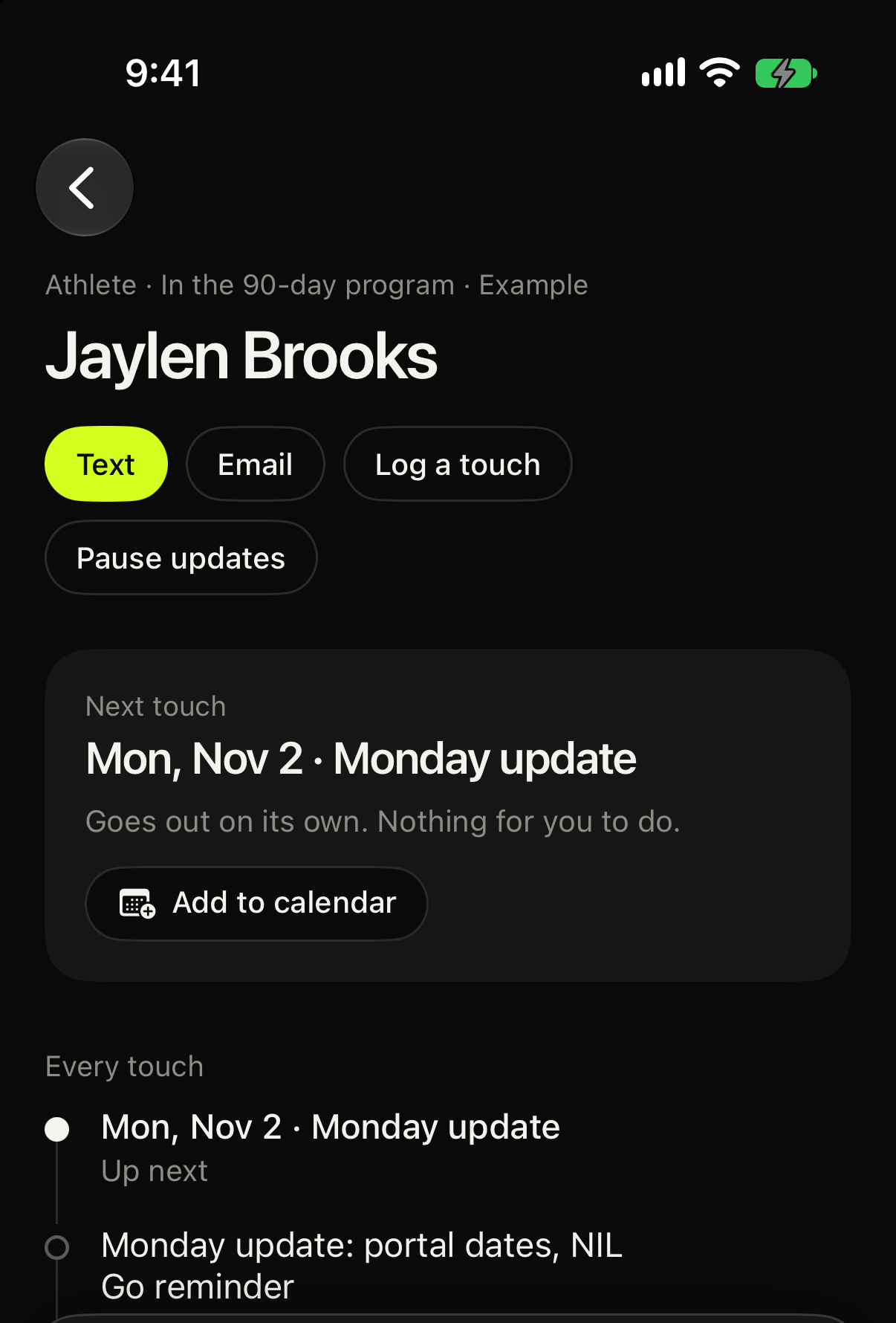
13 / 19
The complete athlete profile
- Every athlete has one page with every touch, every message and the next planned step.
- Text, email or log a conversation in a single tap, and add the next step straight to the calendar.
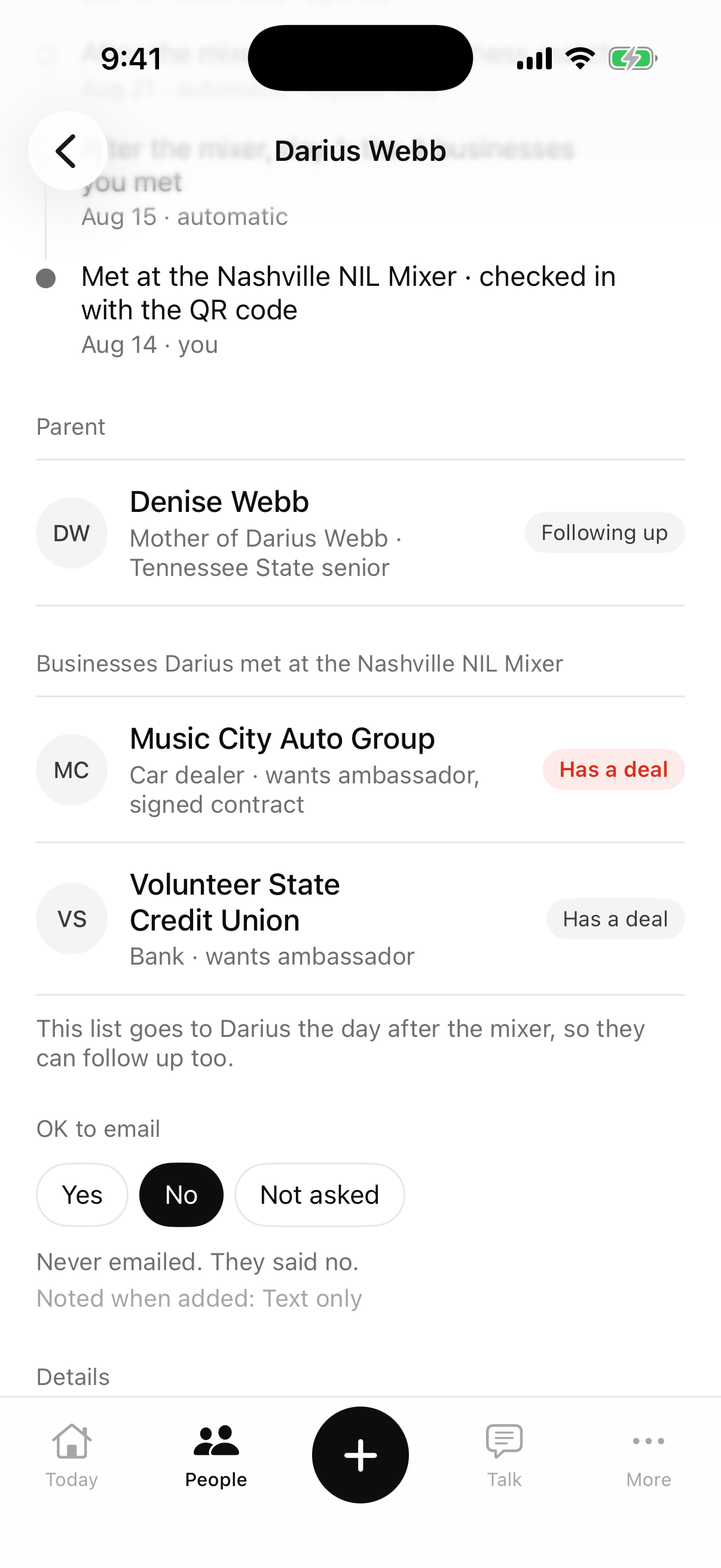
14 / 19
Family, businesses and permissions
- The athlete's parent is linked directly to their profile, along with every business they have met.
- Permission to email is recorded for each person, so your team always respects each family's wishes.
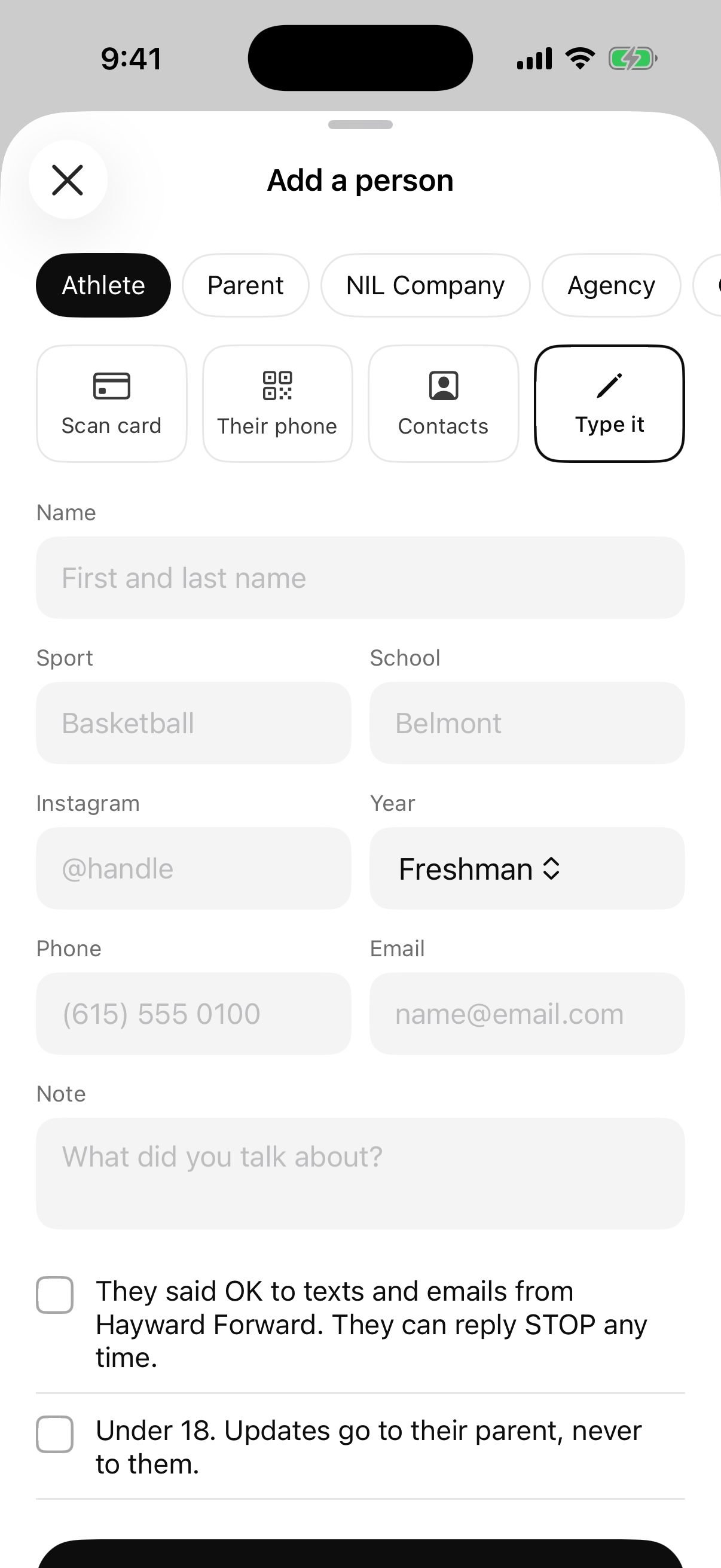
15 / 19
Adding someone takes seconds
- Scan a business card, swap details phone to phone, pick from contacts, or type it in.
- At the moment someone is added, your team records their permission and whether they are under 18.
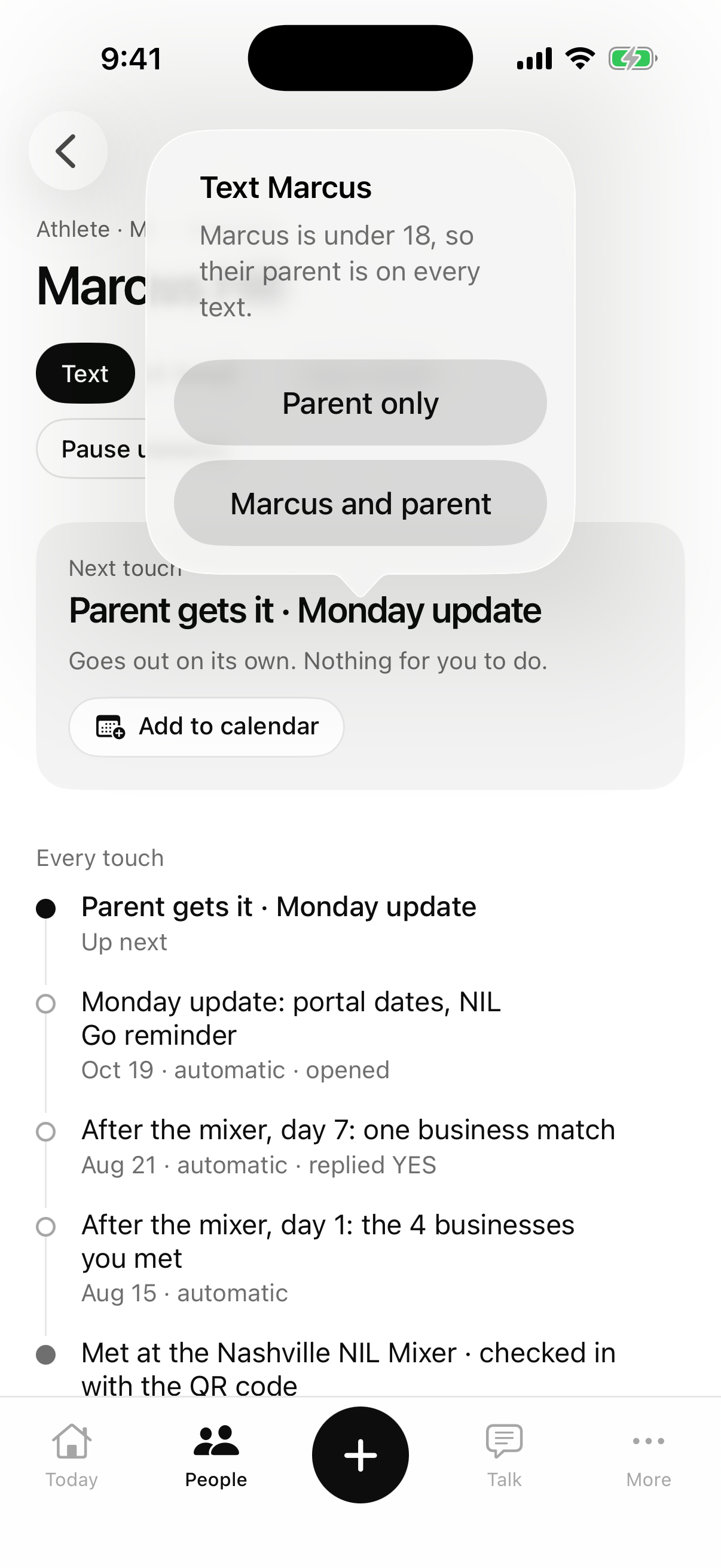
16 / 19
Built to protect athletes under 18
- When an athlete is under 18, their parent is included on every text. Your team can message the parent alone, or the athlete and parent together, but never a minor alone.
- It is a safeguard your families can trust.
17 / 19
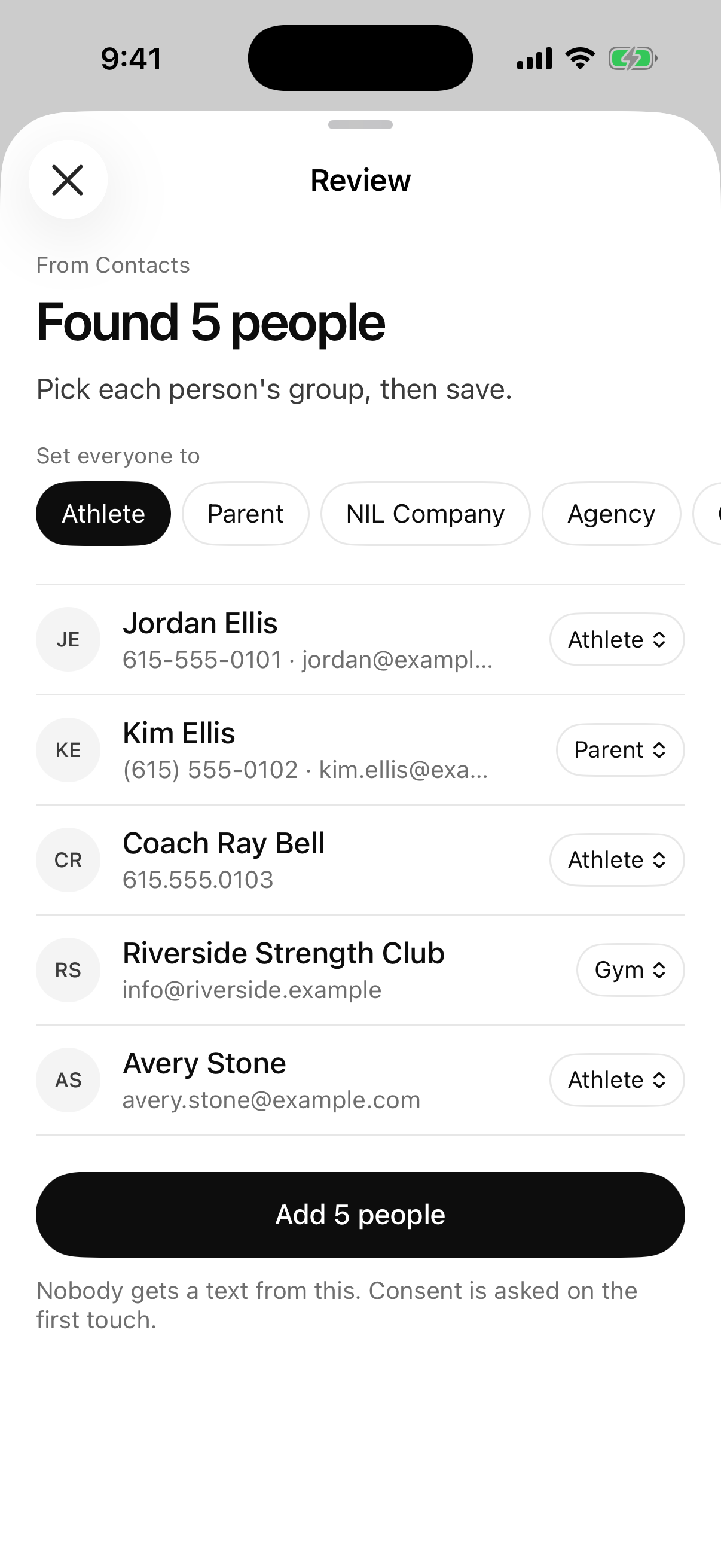
Bring in the lists you already have
- Your existing contacts, a spreadsheet from HubSpot or Google, or a pasted list can be brought in at once.
- Your team reviews and groups each person before anything is saved, and importing never contacts anyone.
18 / 19
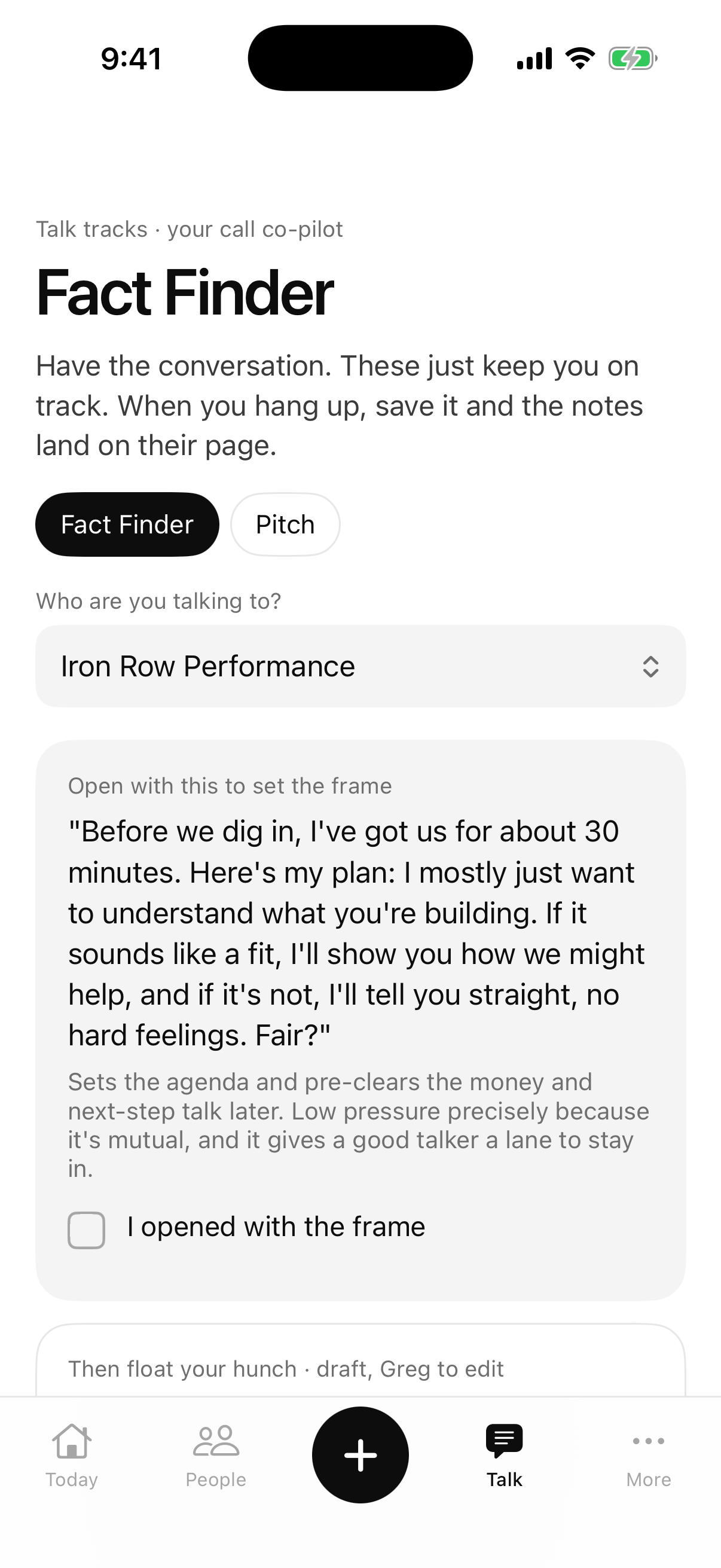
A guide for every conversation
- Two conversation guides: the Fact Finder for a first call, and the Pitch once you understand what a business needs.
- Notes from the call are saved straight to that person's profile.
19 / 19
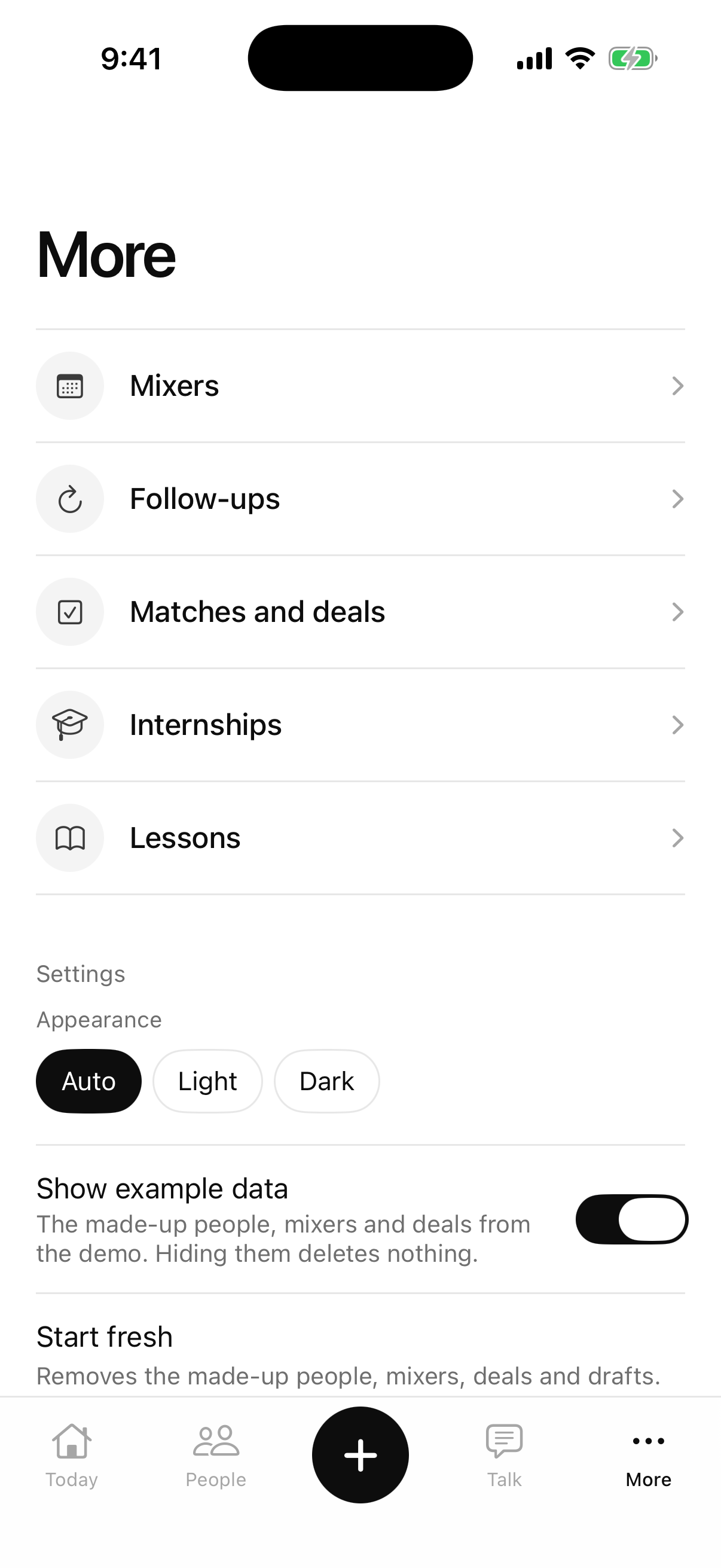
Everything else, in one place
- Mixers, follow-ups, matches and deals, internships and lessons all live here, along with light and dark display options.
Frequently asked questions
Questions you may have
Who owns the data, and how is it kept private?
Hayward Forward owns its data. In the live version, all of the agency's records are stored in its own private, encrypted cloud database, kept separate from every other client and visible only to the people the agency approves. The demo you are seeing runs on this phone with example data only. The agency can export or delete its data at any time.
Does anything go to families without our approval?
No. Emails and messages to families go out only with Hayward Forward's approval.
Is content shared in the community without our approval?
No. Content is shared in the community only with Hayward Forward's approval.
Can it carry the Hayward Forward brand?
Yes. The look and feel is fully customizable to Hayward Forward's brand and preferences, and the app is planned to be published under Hayward Forward's own Apple account.
Who can log in?
Your staff sign in to manage everything. Athletes and parents can receive updates by text and email, or have their own sign-in to see their newsletter and lessons in the app, set up the way Hayward Forward prefers.
How are athletes under 18 handled?
Each person is marked as under 18 when added. Their parent is included on every text, updates are sent to the parent, and the newsletter reaches them through their parent. A minor is never messaged alone.
Does it work on iPhone and Android?
It is built for iPhone today. Android availability is scoped with you based on how your team works.
How do onboarding and training work?
Onboarding is set up with your team: bringing in your existing contacts and spreadsheets, setting up staff logins, and walking your staff through the app.
What about support and updates?
Updates arrive as regular app updates on your team's phones. Changes can be made quickly as you give feedback, and ongoing support is scoped with you.
Can features be added later?
Yes. Everything agreed at signing is built and included. Each month includes a set amount of changes and fixes. New features beyond that are quoted per feature, agreed in writing before any work starts, and added as the agency grows.
Closing
Built around Hayward Forward
Every relationship in one place. Families informed every week. Athletes under 18 always reached through a parent. And nothing goes out without your approval.
The next step is setting up shared logins so your whole team works from one list. We would love to hear what you would like it to do for Hayward Forward first.
Your brand, your way. The look and feel shown here is fully customizable to Hayward Forward's brand and preferences, and changes can be made quickly as you give feedback.
Investment
Investment and options
Hirament, in partnership with G-Ride. Prices shown are Hirament's technology fees for Hayward Forward's size.
G-Ride's coaching and partnership services are arranged directly with G-Ride.
Your plan: Full service
$2,000
a month for Hayward Forward
- Your branded app, published under your own Apple account
- Hosting, your private database and restore to any minute backups
- Security, fixes and updates
- Website, domain, business email and payments set up and managed
- Family newsletter written with you and sent
- We build, run and manage it all
Prefer to run parts of it yourselves? Lighter plans start at $549 a month.
One-time build fee: $7,400 total, paid once (not monthly)
On top of the monthly fee. It covers your branding, your own App Store release under your account, importing your contacts, staff logins, training, and your first newsletter and lessons.
Renting the platform vs owning it
Subscribe Recommended
Hayward Forward uses Hirament's existing platform, already built and proven. The $7,400 one-time fee covers making it yours: your branding, your own App Store release, importing your contacts, staff logins, training, and your first newsletter and lessons. The $2,000 a month covers hosting, your private database and backups, security, updates, support and 8 hours of changes every month. Hirament owns and keeps improving the platform, so new improvements reach you automatically.
Own it outright
$60,000 to $75,000 one time. You receive your own full copy of the code to keep, change and run forever, as if it had been custom built for you (a custom build of this scope is about 300 hours of work). After that, an optional $899 a month care plan covers hosting and 4 hours of help. Future platform updates are not included.
Most organizations subscribe. Buying outright makes sense only if you want to own and run the software yourselves.
Paying the one-time build fee
| Option | Build fee | You pay each month |
|---|---|---|
| Up front | $3,700 at signing $3,700 at launch | $2,000 |
| Spread over 12 months | $8,140 total | $2,678.33 for 12 months, then $2,000 |
| Spread over 24 months | $8,880 total | $2,370 for 24 months, then $2,000 |
Grows with you
| Size (people in the app) | Hayward Forward, Full service |
|---|---|
| Starter: up to 250 | $1,900 |
| Standard: 251 to 750 | $2,000 |
| Growth: 751 to 2,000 | $2,200 |
| Scale: 2,001 to 5,000 | $2,550 |
| Enterprise: over 5,000 | Quote |
Reviewed each quarter.
Athlete add-on: lessons and progress in the same app
Athletes (and parents, if you choose) sign in to the same Hayward Forward app and see only their own lessons, newsletter and progress. G-Ride's video modules stream inside the app, and your staff see who finished what right in the CRM. Athletes under 18 join with a parent's permission. It is one app and one private database, so nothing is copied between systems.
One-time athlete build fee: $15,400, paid once (not monthly).
Adds the athlete and parent side to the iPhone app. Same three ways to pay. Includes athlete and parent sign-in, the lessons area with streaming video, progress tracking for staff, the parent approval flow, and loading G-Ride's first 8 modules.
Optional web version: $6,600, also paid once (not monthly).
A browser version of the same athlete area for athletes on Android phones or laptops. Same sign-in, same database. Skip it if your athletes are on iPhone.
| Size (people in the app) | Staff plan | With athlete add-on |
|---|---|---|
| Up to 250 | $1,900 | $2,000 |
| 251 to 750 (Hayward Forward) | $2,000 | $2,200 |
| 751 to 2,000 | $2,200 | $2,600 |
| 2,001 to 5,000 | $2,550 | $3,300 |
| Over 5,000 | Quote | Quote |
With the add-on, your monthly fee replaces the staff plan fee. It is not added on top. For Hayward Forward: $2,200 a month instead of $2,000.
What Hayward Forward would pay
| One time | Then each month | |
|---|---|---|
| Staff app only | $7,400 | $2,000 |
| Staff app + athlete add-on | $22,800 $7,400 + $15,400 | $2,200 |
| Add the web version | $29,400 | $2,200 |
Video lessons are created and licensed by G-Ride Coaching. Hirament's fee covers hosting, streaming, security and support.
Adding features later
Everything agreed at signing is built and included. Each month includes your change hours. New features beyond that are quoted per feature at $160 an hour and approved in writing before work starts. Optional feature bank: 10 prepaid hours for $1,450.
Terms
12-month minimum, then month to month with 30 days' notice. If you leave early, the unpaid balance of the build is due.
Pricing confirmed at signing based on the number of people using the app. All names shown in this walkthrough are example data built into the app.